


Paramedic Protocol Provider
4.791.00 Reviews
App Specs
- Version
- 3.16
- Updated On
- License
- $14.99
- Downloads
- 10,000+
- Developer
- Acid Remap LLC
- Categories
- Medical
- Platform
- Android, iOS
Screenshots
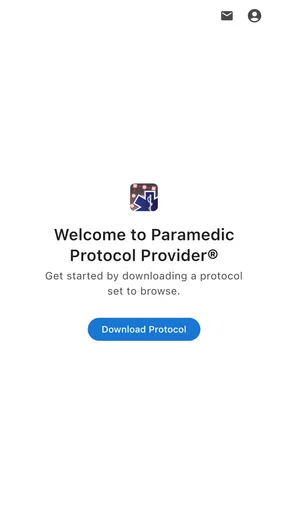
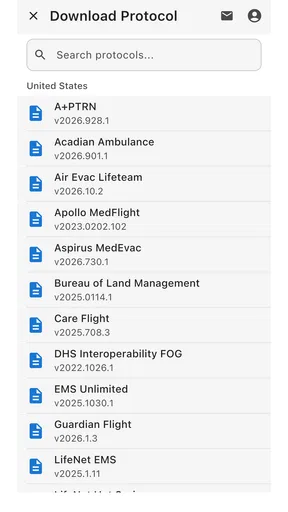
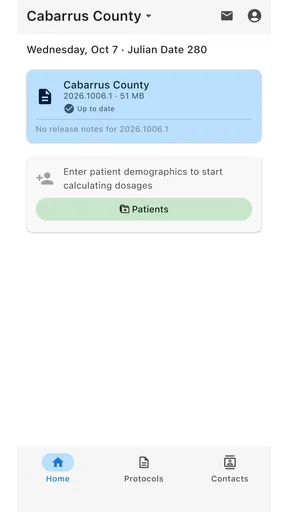
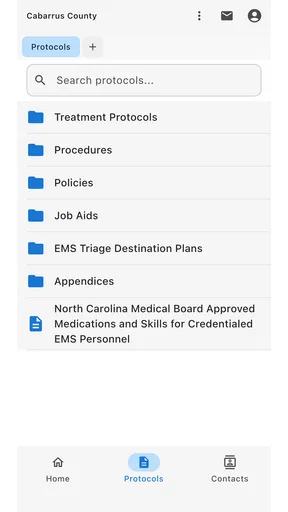
 Analysis by AppCompare
For an emergency reference tool, trust starts with knowing what role the app can realistically play. Paramedic Protocol Provider is a medical app from Acid Remap LLC, built around access to field treatment protocols rather than general health advice. I see its clearest value as a reference for trained responders who already know how to assess a situation and need to consult a protocol; it should support professional judgment, not replace training, local procedures, or medical direction.
Where a protocol reference earns its place
The app is intended for quick access to a substantial collection of protocols, and its offline approach is especially relevant when a connection is unreliable or unavailable. That makes it different from searching the web in the moment: instead of depending on signal and sorting through broad results, a responder can consult a prepared reference. The trade-off is that offline convenience only helps when the material is appropriate to the user’s service and current practice.
For a realistic example, imagine reviewing a protocol during preparation before a shift, then needing to check a detail later in a location with poor reception. Having a reference available offline can reduce dependence on connectivity. I would still make a habit of checking that the applicable material matches local guidance before relying on it in practice; a quick-access tool is only useful when its contents fit the setting.
Who benefits—and who should look elsewhere
I would put this app on the shortlist for EMTs and paramedics who want a portable protocol reference, as well as learners who need to become familiar with how field guidance is organized. It may also suit someone preparing for an exam, provided they use it alongside their course materials rather than treating it as a complete study plan. The app’s focused purpose is a strength for these users: it is not trying to be a broad medical encyclopedia.
It is a weaker fit for people looking for personal symptom advice, general first-aid coaching, or a substitute for professional care. Someone new to emergency medicine may also need explanations and context that a protocol lookup tool is not designed to provide. In those cases, structured instruction, official local resources, or a clinician’s advice is a better starting point.
Compared with paper protocol cards, a digital reference can be easier to carry and search, while paper may remain a useful backup if a device is unavailable or its battery is depleted. Compared with a general web search, an app organized around protocols can make a focused lookup more direct, but web results may include broader background reading. I would choose according to the task: a protocol check is not the same as learning the reasoning behind a treatment.
Practical habits that make it more useful
One useful habit is to explore the app before a shift or study session, rather than learning its layout under pressure. Search for a few protocols you expect to need, and notice how the app groups or presents them. That small rehearsal can make later navigation more deliberate. It also gives you a chance to identify whether the reference suits your workflow before a time-sensitive moment arises.
Worth Reading Before You Choose

Flipboard Shows What News Apps Must Do Beyond the Feed

Switching to Android Auto Means Rethinking Your Driving Routine

Google Calendar Makes a Crowded Week Easier to Manage

Ludo King Makes the Most of the Minutes Between Plans

Baby Panda World Brings Quick Play to Modern Phones, but Its Game Library Feels Busy

ESPN’s Live Game View Makes Following Close Games Easier
For study, I would use a protocol as a prompt for active recall: read the relevant material, put the device aside, then explain the sequence and decision points in your own words. That is more revealing than simply rereading screens. For field use, I would avoid adding personal notes that could be mistaken for official guidance; if you use any note-taking option, keep local policy and source material clearly distinct.
Price, fit, and the decision to install
The app costs $14.99, so I would weigh that against how often I expect to consult field protocols and whether the content fits my role. Its 4.6 average from 240 ratings suggests a generally positive reception, while 10K+ installs show that it has found an audience; neither figure alone tells me whether it matches a particular service’s protocols. It is rated Everyone 10+, was released on May 28, 2012, and its current version is 3.16, with Android 10 as the minimum operating system.
Before paying, I would think through a few practical questions: Will I use it often enough to justify a dedicated paid reference? Does my work or training call for this kind of field protocol access? Can I keep a suitable device available and charged? Those answers matter more than a high-level promise of convenience. If I only need occasional general information, a more suitable learning resource or official public guidance may serve me better.
All About Accessibility
One of the standout features of Paramedic Protocol Provider is its accessibility. Whether you’re an EMT, paramedic, or just someone who wants to be prepared, you can easily navigate through a plethora of protocols. The app's interface is surprisingly user-friendly, which is a huge plus when you’re in a high-pressure situation and need information quickly. You don’t want to be fumbling around with clunky menus when every second counts.
Comprehensive Protocol Library
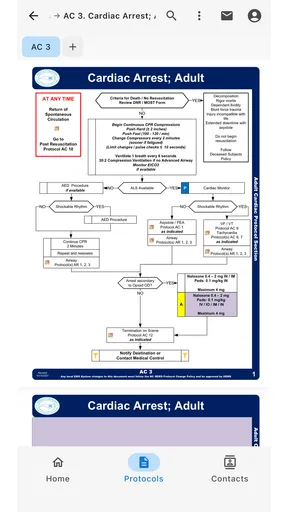
The app boasts a vast library of protocols that are regularly updated. This means you’re always working with the most current information. From basic life support to advanced cardiac life support, the app covers all the bases. You can search for specific protocols or browse through categories, making it incredibly easy to find what you need.
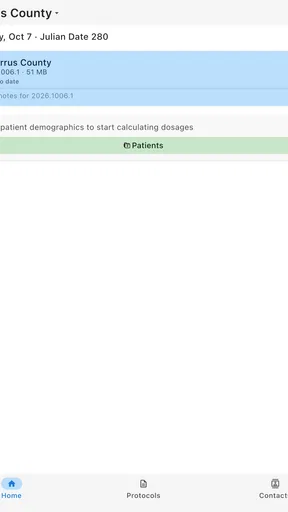
What’s really cool is the offline access feature. Once you download the protocols, they’re available without an internet connection. This is crucial for emergency responders who might be working in areas with poor connectivity. It’s like having a flashlight that never runs out of batteries.
Customization and Personalization
If you’re like me and love a personalized experience, you’re going to appreciate the customization options. You can bookmark your most-used protocols and even add notes. This can be helpful for jotting down reminders or specific instructions that are unique to your area of work. It's these little touches that make the app feel like it was designed with real-world use in mind.
Regular Updates and Support
Now, let’s talk about updates. The developers behind the app are diligent about keeping the content up-to-date, ensuring you’re always equipped with the latest guidelines. Plus, customer support is responsive and helpful. If you ever run into an issue, they’re just a message away, ready to get you back on track.
Interface and User Experience
The design is clean and straightforward. You won’t find any unnecessary bells and whistles here, which is exactly how it should be. The focus is purely on delivering information efficiently. Navigation is smooth, with a simple search bar and easy-to-read text that’s gentle on the eyes even in low-light conditions.
Why You Should Consider It
So, why should you consider downloading this app? In a nutshell, it’s reliable, comprehensive, and incredibly easy to use. Whether you’re in the field or preparing for an exam, having this wealth of information at your fingertips is invaluable. It’s like carrying a library in your pocket, and let’s face it, who wouldn’t want that?
In conclusion, Paramedic Protocol Provider is more than just an app; it’s a vital tool for anyone in the medical field. Its thoughtful design and extensive protocol database make it a must-have for professionals and enthusiasts alike. If you’re looking for a way to enhance your practice or simply want to be prepared for any situation, give this app a try. I promise, you won’t regret it.
What to check before relying on it
A medical reference deserves a more cautious trust test than an ordinary utility. Offline availability is useful, but it does not by itself establish that a protocol is the right one for every region, employer, or patient. I would compare the app’s material with the protocols I am expected to follow and treat local policy and medical direction as authoritative. If those sources differ, the app should not settle the disagreement.
There is a practical way to make that check less burdensome: choose a small set of commonly used topics and compare them during a quiet study period, not while responding to a call. That helps reveal whether the app’s organization and terminology work for you, and whether you can quickly distinguish a protocol from a personal reminder. It is also a sensible opportunity to confirm how offline material is made available on your device before you depend on it away from a network.
Privacy and the information you enter
For a medical app, I would be careful about what I put into any notes field. A reminder about a workflow is different from identifying patient details, and I would not enter sensitive information unless I had verified that doing so is appropriate under my workplace rules and the app’s own privacy terms. The presence of a notes option is not, by itself, a reason to use the app as a patient record.
I would also review the permissions and account prompts shown on my own device before deciding what to enable. Those screens are the place to judge the choices actually offered, rather than assuming that an app needs broad access simply because it concerns medicine. If a permission does not make sense for the task I want to perform, I would pause and decide whether I can use the reference without granting it. This is a small but worthwhile step for any tool used around sensitive work.
Keeping offline access dependable
Offline access is most valuable when it has been tested in advance. I would open the material I expect to use while connected, then check that it remains accessible with the network turned off. That is a simple rehearsal, not a substitute for a device backup plan: a dead battery, a damaged phone, or unfamiliarity with the interface can still leave the reference out of reach. A paper copy or the service’s approved backup resource may be the safer choice where continuity matters.
It is also worth building a routine for revisiting the app rather than assuming that a previously saved reference will always reflect current local practice. When procedures change, compare the material you consult with the authoritative version used by your service. The app can help bring information close at hand, but the user still has to maintain the habit of checking what is relevant and current for their setting.
A measured recommendation
My recommendation is therefore conditional, not universal. If you are a trained responder or a student who wants a portable protocol reference, and its material fits your practice, the app may be a convenient companion for preparation and focused lookups. If you need instruction from first principles, personal medical advice, or a guaranteed replacement for your organization’s approved protocol source, I would choose something else or use this only as a secondary reference.
The strongest reason to consider it is the combination of a dedicated field-protocol focus and offline access. The main responsibility that comes with that convenience is verifying fit: fit with your role, your local guidance, your device habits, and the way you protect sensitive information. Used with those boundaries in mind, it can make reference material easier to reach without asking it to make clinical decisions for you.
Pros
- Quick access to updated medical protocols.
- Offline mode for use in low reception areas.
- User-friendly interface enhances navigation.
- Regular updates improve reliability.
- Customizable bookmarks for frequent use.
Cons
- Limited to specific regions' protocols.
- Subscription required for full access.
- Initial setup can be time-consuming.
- No interactive features or quizzes.
- Lacks real-time collaboration tools.
FAQs for Paramedic Protocol Provider
What is Paramedic Protocol Provider, and what does it offer?
Paramedic Protocol Provider is an essential mobile app for emergency medical service (EMS) professionals, providing quick access to field treatment protocols. The app offers a comprehensive database of medical guidelines from various jurisdictions, ensuring that users have the most accurate and up-to-date information at their fingertips.
Is Paramedic Protocol Provider available for both Android and iOS?
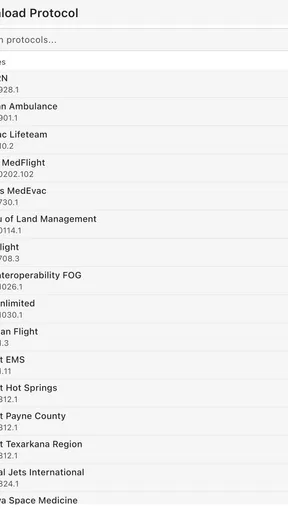
Yes, Paramedic Protocol Provider is available for both Android and iOS platforms. Users can download the app from the Google Play Store or the Apple App Store, ensuring compatibility with a wide range of devices, which makes it accessible for professionals in diverse environments.
How frequently is the protocol information updated?
The app regularly updates its protocol information to ensure accuracy and compliance with the latest medical standards. It's designed to automatically sync with the latest guidelines from participating EMS jurisdictions, allowing users to rely on the most current medical procedures and treatment protocols.
Does the app require an internet connection to function?
Paramedic Protocol Provider primarily functions offline, ensuring that users can access important medical protocols even in areas with limited connectivity. However, an internet connection is needed for initial setup and periodic updates to ensure the protocol data remains current and accurate.
Are there any costs associated with using Paramedic Protocol Provider?
While the app itself is available for a nominal fee, there may be additional costs for accessing certain advanced features or jurisdictions. The pricing model is designed to be affordable for EMS professionals, with the primary goal of providing essential medical information efficiently.


